The problem
Basic Keycloak permissions can be granted via the roles present in system clients. The realm-management client is used in most cases. However, there is a problem: existing permissions cannot be configured to meet your needs and provide too much access. You can make a user to manage all users in the realm or manage no one.
There are two possible scenarios in this case. Only a limited number of developers have access to the realm, which makes them responsible for managing test users. Or, grant access to every developer, allowing them to see your customers' data. Neither of them can be considered enterprise approaches. We wish there was a way to group users and gain access only to the required group. That is exactly what the Fine-Grained Admin Permissions do.
Fine-Grained Permissions
Mentioned Fine-Grained Admin Permissions (FGAP) are based on the Fine-Grained permissions , which appeared in Keycloak 26.2.0. This feature allows moving the user authentication out of the actual program and delegating it to Keycloak itself. Before configuring the admin permissions, let’s consider key components used in both features.
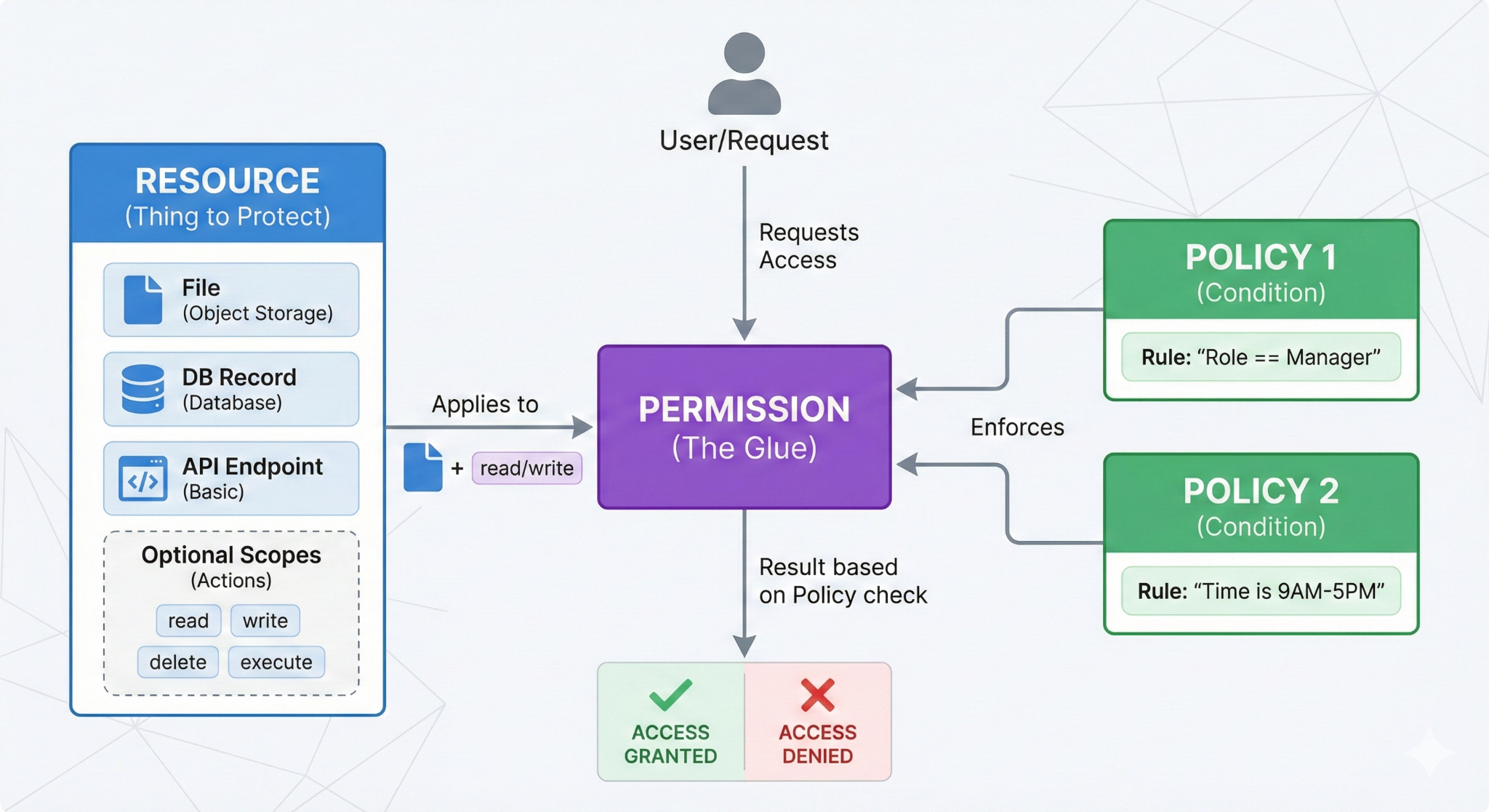
The Resource server is an application that holds the available resources. The Resource is anything you want to protect. It may be the file in object storage, a record from a database, or a basic API endpoint. Each resource may have a set of optional Scopes that defines which actions are allowed to perform on it. The access can be granted depending on the conditions, forced by Policies.
Policies are not attached to the resources directly, instead the Permissions are a glue that combines them. This approach makes the system flexible, allowing you to combine policy with different resources. They can be applied to the scope of the resource itself, granting full control over it.
Terraform Configuration
The Fine-Grained permissions feature is fully supported in the official community-driven Terraform Provider v5.7.0 . It allows you to version your configuration and apply it to a new deployment immediately. This combination provides you with functionality similar to the OPA policy agent, making Keycloak more than just an identity manager.
Admin Permissions
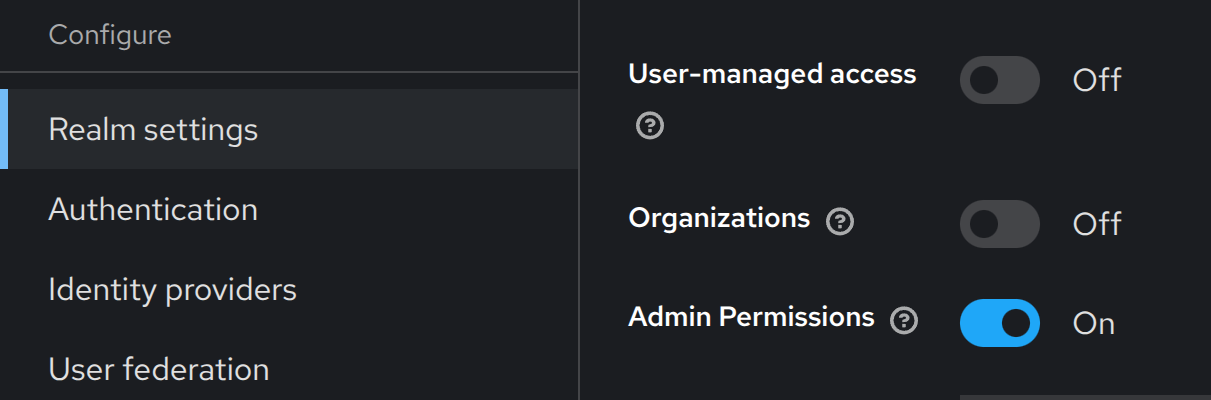
Now, when we are familiar with Fine-Grained permissions, let’s take a look at the Fine-Grained Admin Permissions. Obviously, the resource server in this scenario is the Keycloak itself, and it has a set of predefined resources with their scopes: Users, Groups, Clients, and Roles. We can create policies and permissions to manage access on our behalf.
Real example
Let’s consider the real example of an Impersonation feature. Keycloak impersonation grants access to the account without the user’s credentials. It is helpful for testing and reproducing bugs. With basic permissions, it is not possible to limit the pool of users available for impersonation. This can be harmful in production applications.
The best option is to use the FGAP to grant granular access. It requires only two steps. Create a policy to determine: “Who can impersonate?” And create a permission, which allows impersonation to only a limited set of users, the test-users group in our example.
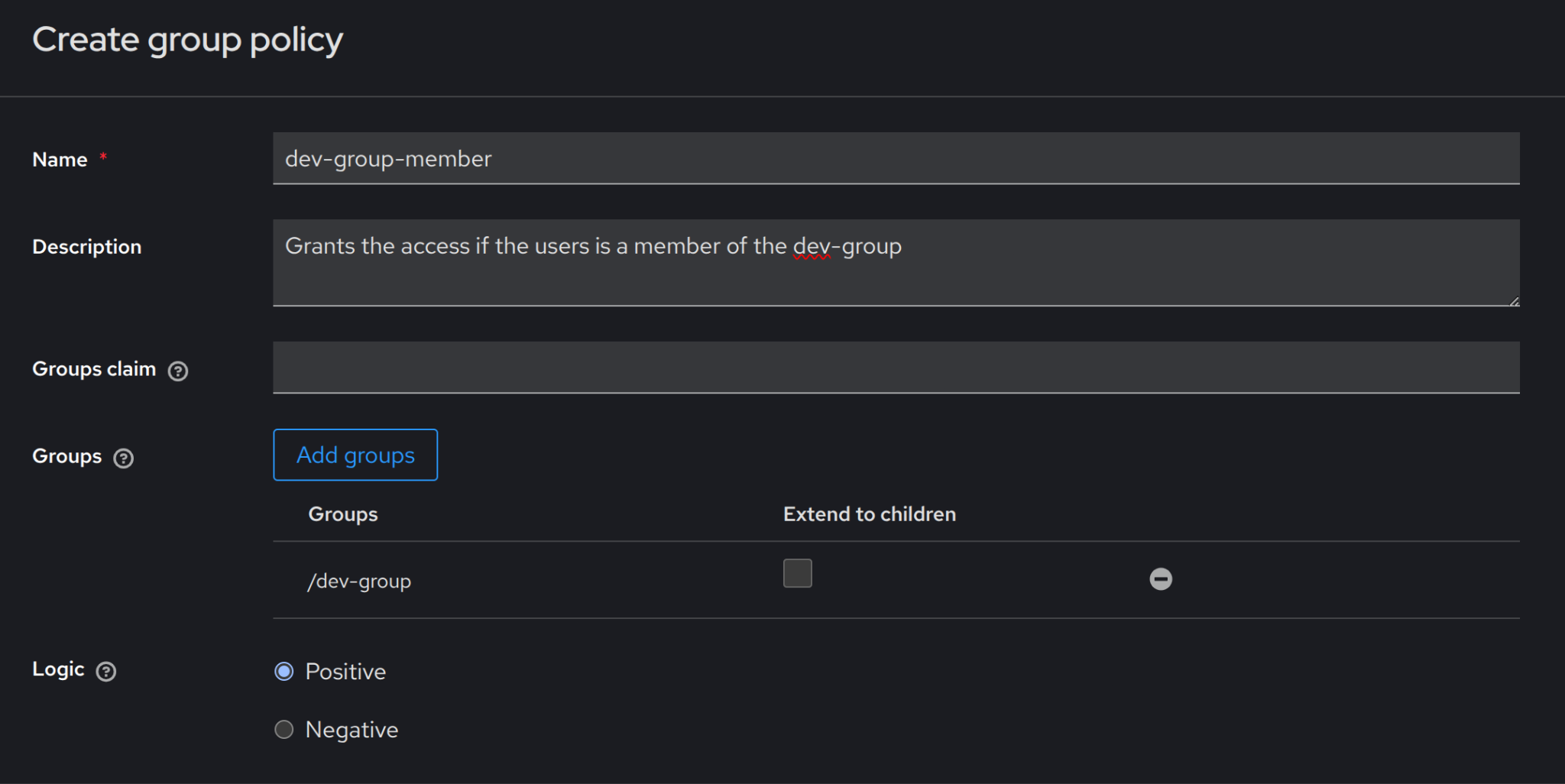
Group Policy is used in the example below to allow access only to the users who are members of the dev-group.
With the policy created, it’s time to create group permission with the scope impersonate-members.
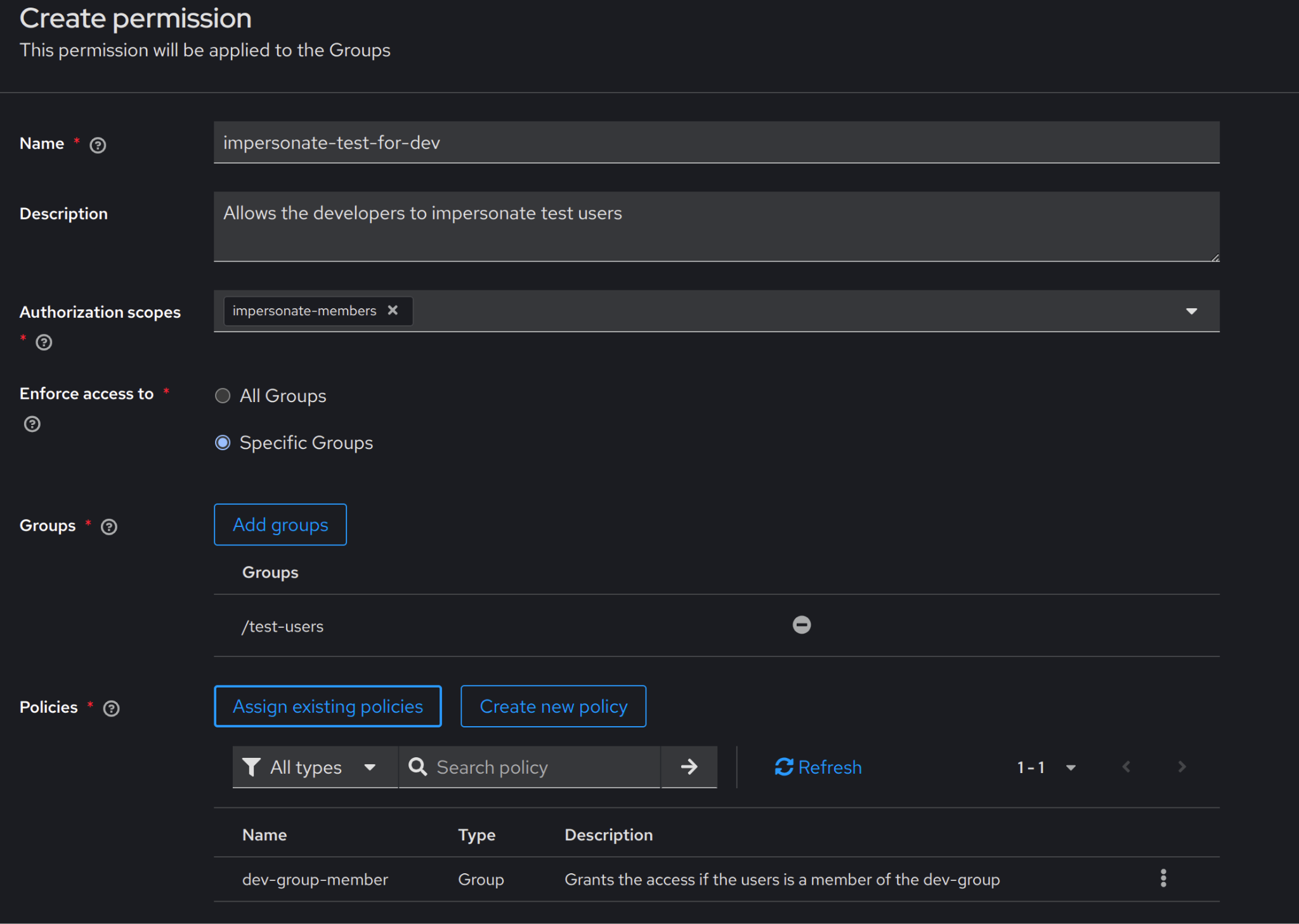
Now the developers can impersonate only a limited pool of test accounts.
Challenges
Fine-Grained Admin Permissions is a fresh feature that greatly expands the list of Keycloak use cases. Because it is new, the feature has several pitfalls that present new challenges. In this section, we will examine two of them.
Limited Terraform Support
Even though the FGAP feature is based on Fine-Grained Permissions, it implements its own separate API. The separation results badly in the Terraform coverage. Currently, it is only possible to enable the feature with the provider. Permissions and Policies may be created only with UI or API calls. There is an issue related to the problem. However, there is no final date for when the feature will be fully supported.
Bugs
Like any new feature, it may contain bugs that weren’t investigated during the testing stage. For example, Keycloak 26.2.0 has a bug that ignores Fine-Grained Group Permissions during new user creation. It allows adding a new user to a group with limited access.
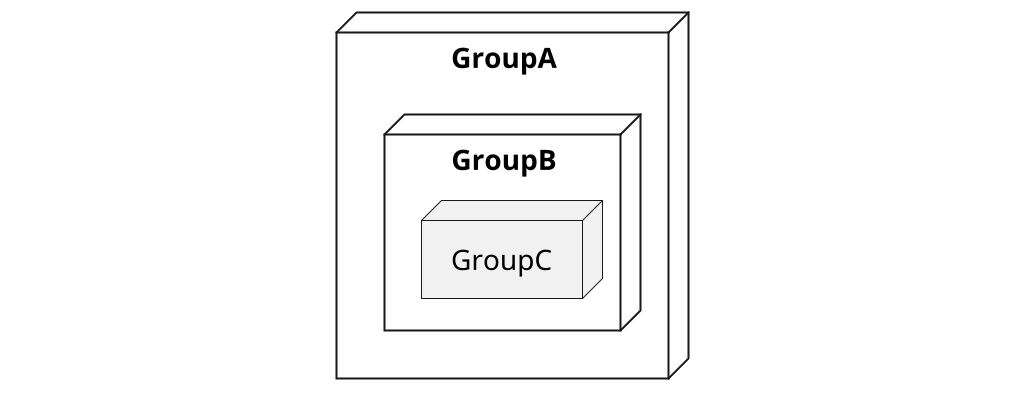
Let’s consider a bug mentioned in the discussion from the Keycloak repository (FGAP configuration can be found here). The test realm has a group hierarchy displayed in Picture 5. Where users from GroupA have the lowest privileges and aren’t able to add members to the child groups, and perform any changes in user accounts from privileged groups.
After logging in with the GroupA member’s account, who has the least privileges, it is possible to add a new user to GroupC (Picture 6). The action can only be performed during creation requests.
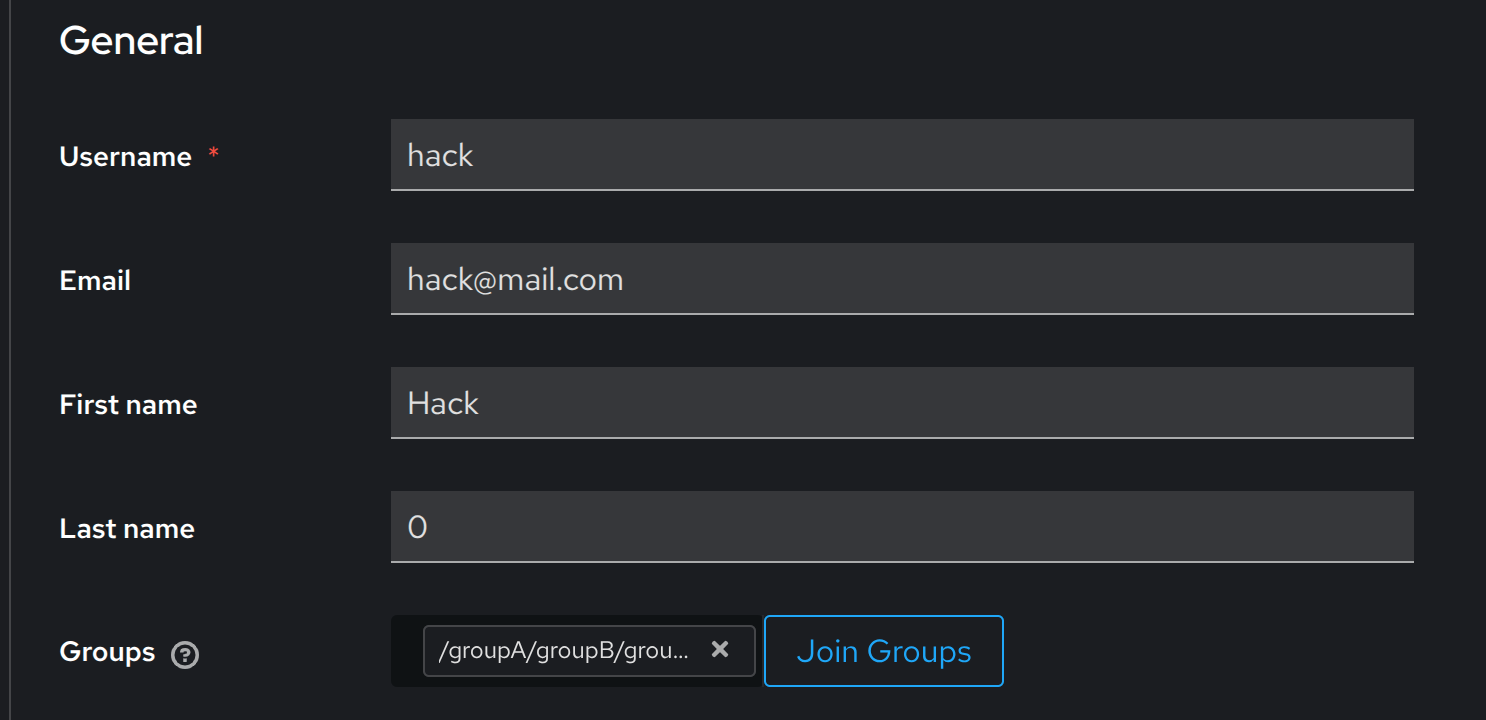
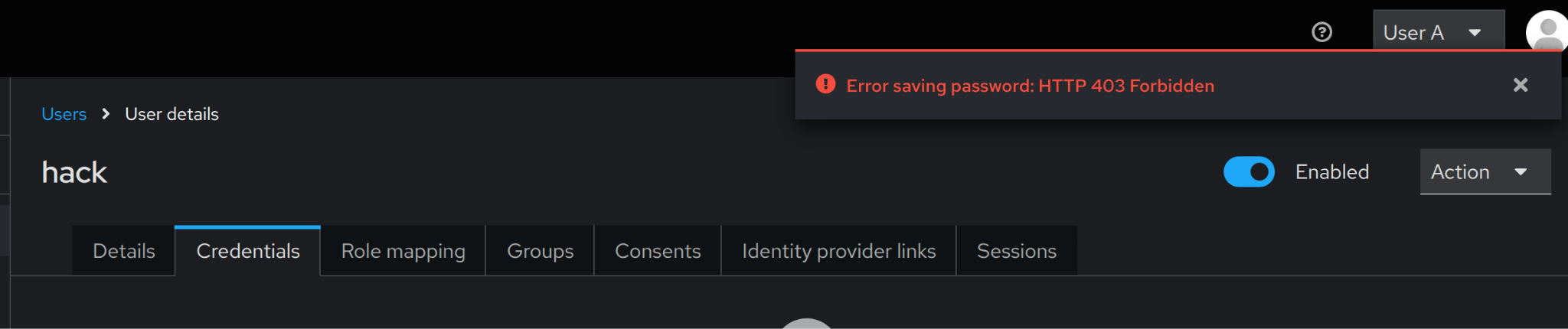
Fortunately, it is not possible to set the password for a new user immediately. After creating the user, a temporary password must be set, or a ‘Reset password’ message must be sent. However, due to the FGAP configuration, the mentioned actions are not allowed for the GroupA member. All requests finish with the 403 error (Picture 7).
Conclusion
Keycloak Fine-Grained Admin Permissions feature solves a long-standing problem: how to delegate administrative access without overexposing sensitive data. Instead of an all-or-nothing approach with realm roles, permissions can now be scoped to specific resources and actions. This allows safe responsibility delegation while protecting production customer data. With Terraform support, FGAP will soon turn Keycloak into a powerful access-control platform, allowing competition with OPA.